If you've ever uploaded an image to a website, blog, or online store, you've probably seen two common image formats: JPG and WebP.
For many years, JPG was the standard choice for photos on the internet. Almost every website, camera, smartphone, and editing app supported it. But in recent years, WebP has become increasingly popular, especially among website owners who want faster loading speeds.
This has led to an important question:
Is WebP really better than JPG?
The short answer is: in many situations, yes.
However, that doesn't mean JPG is outdated or useless. Both formats have strengths and weaknesses, and the best choice depends on how you're using your images.
Let's break everything down in simple language.
What Is JPG?
JPG (also called JPEG) is one of the oldest and most widely used image formats.
It was created to make photo files smaller while still looking good to the human eye.
Today, billions of JPG images exist online because the format is supported almost everywhere.
Advantages of JPG
- Supported by virtually all devices
- Small file sizes
- Great for photographs
- Easy to share and upload
- Works with almost every editing software
Disadvantages of JPG
- No transparent background support
- Quality decreases when compressed repeatedly
- Not ideal for logos and graphics with sharp edges
Best Uses for JPG
JPG works best for:
- Family photos
- Travel pictures
- Product photos
- Blog images
- Social media uploads
For everyday photography, JPG remains an excellent option.
What Is WebP?
WebP is a modern image format developed specifically for the web.
The goal was simple:
Create smaller image files without making images look noticeably worse.
WebP combines many advantages of both JPG and PNG while reducing file size.
This is why many modern websites use WebP as their primary image format.
Advantages of WebP
- Smaller file sizes
- Excellent image quality
- Supports transparency
- Faster website loading
- Better storage efficiency
Disadvantages of WebP
- Older software may not support it
- Some users are unfamiliar with the format
- Certain editing workflows still prefer JPG
Best Uses for WebP
WebP is ideal for:
- Websites
- Blogs
- E-commerce stores
- Landing pages
- Online portfolios
If website speed is important, WebP is often the better choice.
WebP vs JPG: Quick Comparison
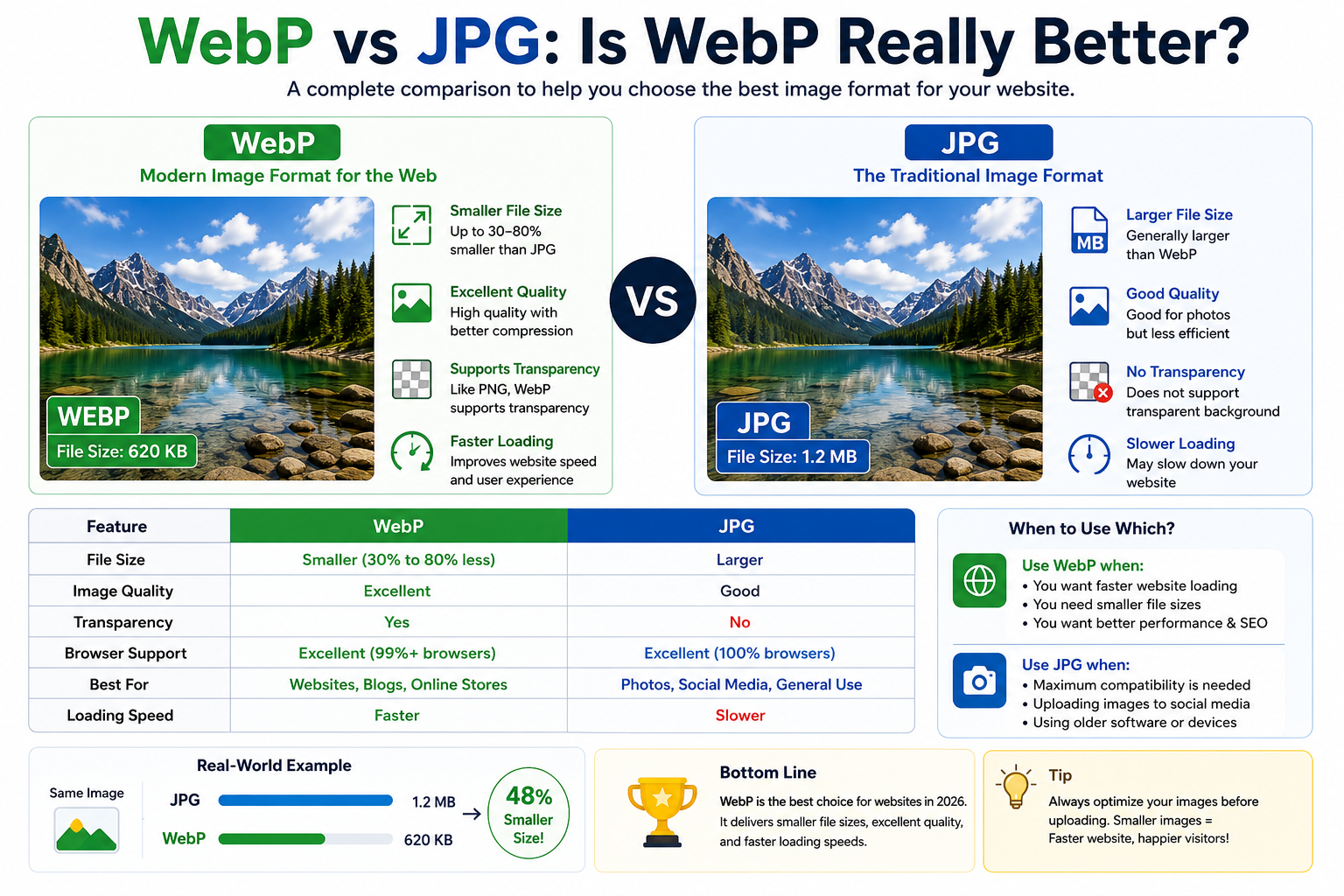
| Feature | JPG | WebP |
|---|---|---|
| File Size | Small | Smaller |
| Image Quality | Good | Excellent |
| Transparency | No | Yes |
| Website Speed | Good | Better |
| Browser Support | Excellent | Excellent |
| Storage Usage | Higher | Lower |
| Best For | Photos | Websites |
At first glance, WebP seems to win in most categories.
But let's look deeper.
Which Format Has Better Image Quality?
This is one of the most common questions.
Many people assume smaller files automatically mean worse quality.
That's not always true.
WebP uses newer compression technology that allows it to keep more visual detail while reducing file size.
In many cases:
- A WebP image looks almost identical to a JPG image.
- The WebP file is significantly smaller.
For most viewers, the difference in quality is nearly impossible to notice.
Unless you're zooming in very closely, both formats usually look excellent.
Which Format Has Smaller File Sizes?
This is where WebP really shines.
Imagine a photo saved as JPG:
- JPG: 1 MB
The same image converted to WebP might become:
- WebP: 650 KB
That's a reduction of more than 30%.
On larger websites with hundreds of images, these savings add up quickly.
Smaller images mean:
- Faster loading pages
- Less bandwidth usage
- Lower hosting costs
- Better mobile performance
Why Website Owners Prefer WebP
Modern websites compete for attention.
Visitors expect pages to load quickly.
If a website takes too long, people often leave before the content even appears.
Because WebP images are usually smaller, they help websites:
Load Faster
Smaller files download more quickly.
Improve User Experience
Visitors spend less time waiting.
Save Storage Space
Thousands of images require less server space.
Support Better SEO
Fast websites often create stronger engagement signals.
For these reasons, WebP has become the preferred format for many website owners.
Does WebP Improve SEO?
WebP itself is not a direct ranking factor.
Google doesn't rank a website higher simply because it uses WebP.
However, WebP often improves page speed.
Faster websites can lead to:
- Better user experience
- Lower bounce rates
- Longer visit duration
- Improved Core Web Vitals
These factors can indirectly support SEO performance.
Which Format Is Better for Social Media?
Interestingly, social media is one area where JPG still performs very well.
Most platforms automatically compress and process uploaded images.
Because of this:
- JPG is perfectly acceptable.
- WebP often provides little additional benefit.
For Facebook, Instagram, and many other social networks, JPG remains a practical choice.
Which Format Is Better for Blogs?
For blogs, WebP is usually the winner.
Blog posts often contain multiple images.
Smaller images mean:
- Faster loading articles
- Better mobile experience
- Reduced hosting costs
Many bloggers now convert every image to WebP before publishing.
Which Format Is Better for Online Stores?
Online stores often use hundreds or thousands of product photos.
Large image libraries can significantly affect performance.
For e-commerce websites:
Product Photos
WebP is usually the best choice.
Logos
PNG or WebP work well.
Banners
WebP often provides the best balance of quality and size.
A faster store creates a smoother shopping experience.
Common Misconceptions About WebP
"WebP Looks Worse Than JPG"
In most situations, users cannot tell the difference.
Modern compression technology allows WebP to maintain excellent quality.
"WebP Is Not Supported"
Years ago this was a concern.
Today, nearly all modern browsers support WebP.
"JPG Is Outdated"
Not at all.
JPG remains one of the most useful and widely supported image formats.
It still works well for many situations.
When Should You Use JPG?
Choose JPG if:
- You need maximum compatibility.
- You're sharing photos casually.
- Your software doesn't support WebP.
- You're uploading images to social media.
JPG remains simple, reliable, and widely accepted.
When Should You Use WebP?
Choose WebP if:
- You're building a website.
- You want faster page loading.
- You need smaller file sizes.
- You care about storage efficiency.
- You want better website performance.
For most modern websites, WebP is usually the smarter option.
Frequently Asked Questions
Is WebP always better than JPG?
Not always.
For websites, WebP is usually better. For general photo sharing, JPG is still excellent.
Does WebP reduce quality?
WebP uses compression, but it often maintains visual quality extremely well.
Which format loads faster?
WebP usually loads faster because the files are smaller.
Should I convert my website images to WebP?
In most cases, yes.
Many website owners see noticeable performance improvements after switching to WebP.
Final Thoughts
So, is WebP really better than JPG?
For modern websites, the answer is usually yes.
WebP offers smaller file sizes, excellent image quality, transparency support, and faster loading speeds. These advantages make it one of the best image formats available today.
That said, JPG still has an important place. It remains one of the most compatible and widely used image formats in the world.
If you're building or managing a website, converting images to WebP is often a smart move. You'll save storage space, improve loading times, and create a better experience for your visitors.
For everyday photo sharing, JPG remains a reliable option. But when speed and efficiency matter, WebP often comes out ahead.