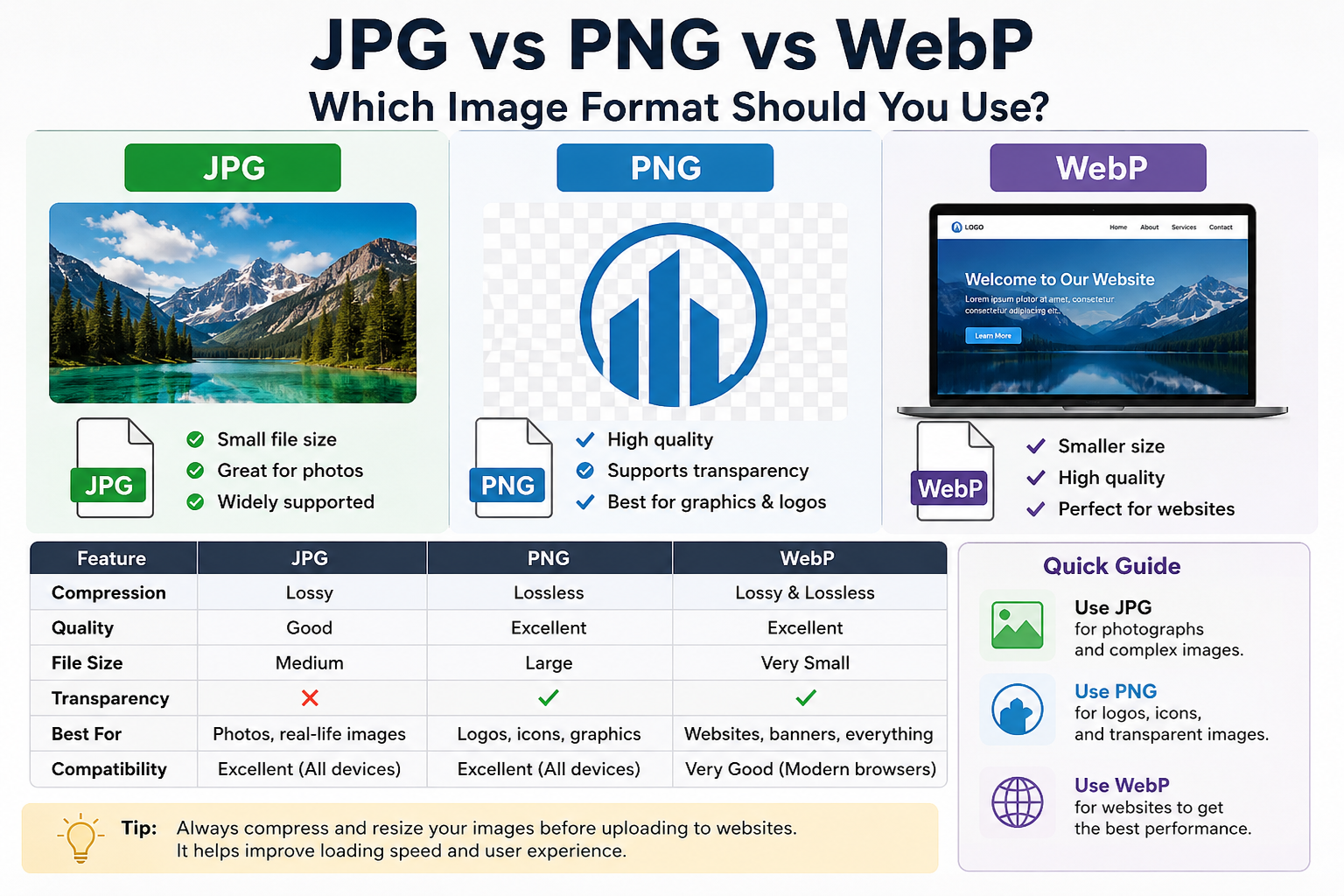
JPG vs PNG vs WebP: Which Image Format Should You Use?
If you've ever uploaded an image to a website, social media platform, or blog, you've probably seen file types like JPG, PNG, and WebP. At first glance, they may seem similar because they all display images. However, choosing the right image format can make a big difference in image quality, website speed, and storage space.
Many people simply save images in whatever format their device chooses. While this works most of the time, it isn't always the best option. Understanding when to use JPG, PNG, or WebP can help you create faster websites, upload images more efficiently, and keep your files organized.
In this guide, we'll explain everything in simple language so anyone can understand it.
What Is JPG?
JPG (or JPEG) is one of the most popular image formats in the world. It has been used for many years and is supported by almost every device, website, and application.
JPG is designed mainly for photographs and colorful images. It reduces file size by removing some image data that most people won't notice.
Advantages of JPG
- Small file size
- Works on almost every device
- Great for photographs
- Faster uploads and downloads
Disadvantages of JPG
- Quality decreases every time you compress it
- Does not support transparent backgrounds
- Not ideal for logos and graphics with text
Best Uses for JPG
JPG works best for:
- Family photos
- Travel pictures
- Blog images
- Social media photos
- Product photographs
If you're uploading a photo from your phone to a website, JPG is usually a safe choice.
What Is PNG?
PNG stands for Portable Network Graphics. Unlike JPG, PNG keeps image quality much higher because it uses a different compression method.
One of PNG's most useful features is transparency. This means you can remove the background from an image and keep only the object or logo.
Advantages of PNG
- Excellent image quality
- Supports transparent backgrounds
- Great for logos and graphics
- Sharp text and illustrations
Disadvantages of PNG
- Larger file sizes
- Slower loading compared to JPG
- Can use more website storage
Best Uses for PNG
PNG is ideal for:
- Company logos
- Icons
- Graphics
- Screenshots
- Images with transparent backgrounds
For example, if you want your logo to appear on different colored backgrounds without a white box around it, PNG is usually the best choice.
What Is WebP?
WebP is a newer image format developed to make images smaller while maintaining high quality.
Many modern websites use WebP because it often produces files that are significantly smaller than JPG and PNG.
This helps websites load faster and improves user experience.
Advantages of WebP
- Smaller file sizes
- Good image quality
- Supports transparency
- Improves website speed
Disadvantages of WebP
- Some older software may not support it
- Not everyone is familiar with the format
Best Uses for WebP
WebP is excellent for:
- Websites
- Blogs
- Online stores
- Landing pages
- Digital marketing
If your goal is to make your website load faster, WebP is usually the best option.
JPG vs PNG vs WebP Comparison
| Feature | JPG | PNG | WebP |
|---|---|---|---|
| File Size | Small | Large | Very Small |
| Image Quality | Good | Excellent | Excellent |
| Transparency | No | Yes | Yes |
| Website Speed | Good | Average | Excellent |
| Best For | Photos | Logos & Graphics | Websites |
| Compatibility | Excellent | Excellent | Very Good |
Which Format Has the Best Quality?
If image quality is your top priority, PNG usually wins.
PNG preserves details very well and is commonly used by designers who need sharp images.
However, the quality difference between PNG and WebP is often difficult for the average person to notice.
WebP can provide similar visual quality while using much less storage space.
Which Format Has the Smallest File Size?
In most cases:
WebP → Smallest
JPG → Medium
PNG → Largest
For example:
A photo might be:
- PNG: 3 MB
- JPG: 1 MB
- WebP: 700 KB
The exact numbers vary, but WebP usually provides the best balance between quality and size.
Which Format Is Best for Websites?
For most websites in 2026, WebP is the recommended format.
Why?
Because faster websites create a better experience for visitors.
Smaller images mean:
- Faster page loading
- Lower bandwidth usage
- Better mobile performance
- Improved SEO potential
Many modern website owners now convert their JPG and PNG images into WebP before uploading them.
Which Format Is Best for Social Media?
Social media platforms often compress images automatically.
For this reason:
- JPG works great for photos
- PNG works well for graphics and text-based images
WebP is not always necessary for social media uploads because many platforms convert images internally anyway.
Common Mistakes People Make
Uploading Huge PNG Files
Many users save everything as PNG even when they are uploading normal photographs.
This can dramatically increase file size without providing noticeable benefits.
Using JPG for Transparent Images
JPG does not support transparency.
If you need a transparent background, use PNG or WebP.
Ignoring Image Optimization
Uploading original camera images directly to a website can slow it down significantly.
Always resize and optimize images before publishing.
Which Format Should You Choose?
Here's a simple rule:
Choose JPG if:
- You're using photographs.
- You want broad compatibility.
- File size matters.
Choose PNG if:
- You need transparency.
- You're using logos or graphics.
- Quality is more important than size.
Choose WebP if:
- You're building a website.
- You want faster loading speeds.
- You need a balance of quality and compression.
Final Thoughts
There is no single image format that is perfect for every situation.
JPG remains a great choice for photographs, PNG is excellent for graphics and transparent images, and WebP has become the preferred format for modern websites because of its smaller file sizes and excellent quality.
If you're unsure which format to use, think about where the image will be displayed and what matters most—quality, transparency, or speed.
For most website owners today, WebP is often the smartest choice. However, JPG and PNG still have important uses and aren't going away anytime soon.
By choosing the right image format, you can improve website performance, save storage space, and create a better experience for your visitors.