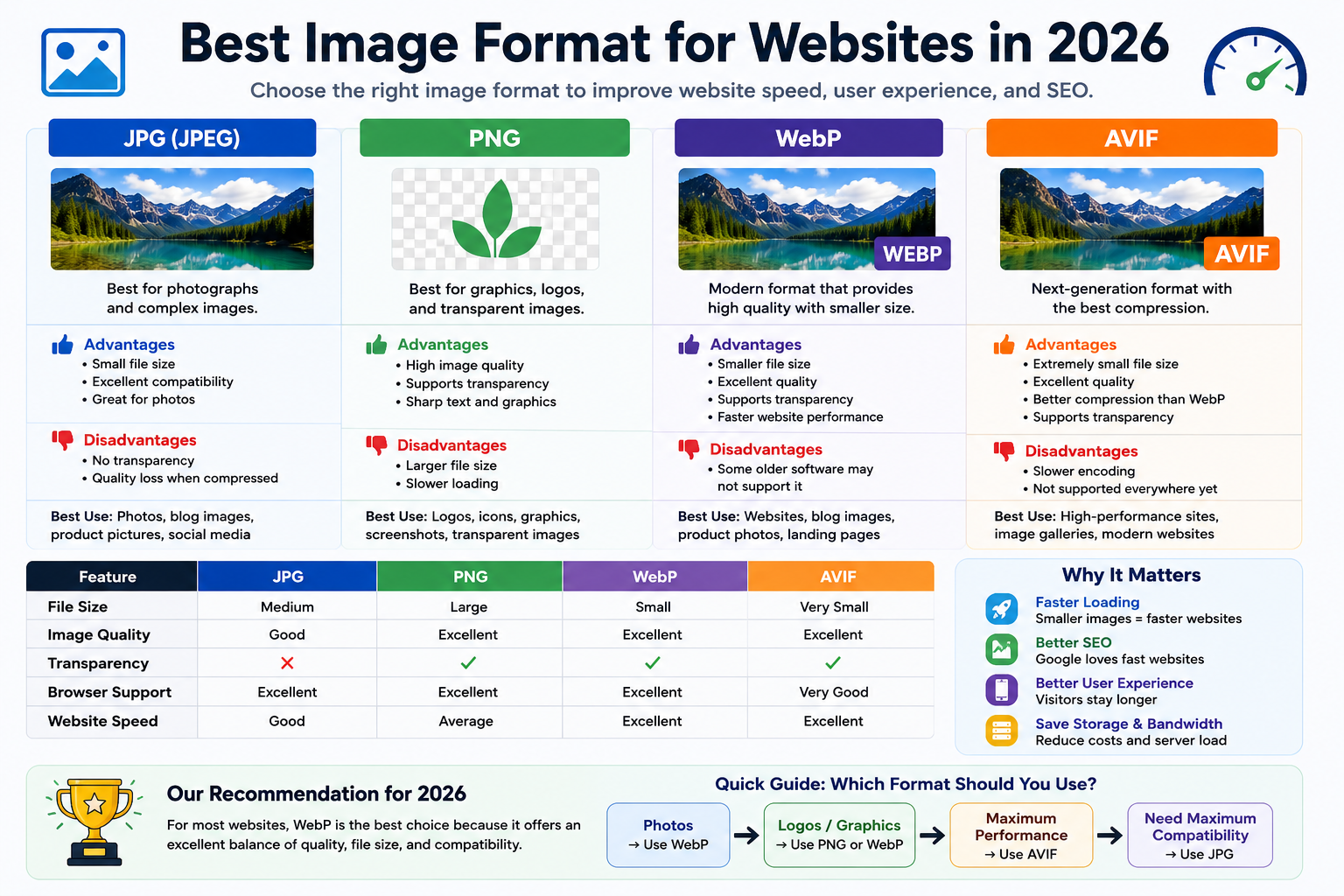
Images play a huge role in modern websites. Whether you're running a blog, an online store, a portfolio, or a business website, images help attract visitors and make content more engaging. However, images can also be one of the biggest reasons a website loads slowly.
Many website owners focus on themes, plugins, and hosting while ignoring image optimization. The truth is that choosing the right image format can improve website speed, save storage space, and even help with search engine rankings.
In 2026, there are several image formats available, but not all of them are equally useful for websites. Some offer excellent quality, while others focus on reducing file size. Understanding the differences can help you make smarter decisions.
In this guide, we'll compare the most popular image formats and help you decide which one is best for your website.
Why Image Format Matters
Every image uploaded to a website adds weight to a page.
When visitors open your website, their browser must download those images before displaying them.
If your images are too large:
- Pages load more slowly
- Mobile users have a worse experience
- Visitors may leave before the page finishes loading
- Search engines may rank your website lower
Choosing the right image format helps solve these problems.
A modern image format can often reduce file sizes by more than 50% while keeping the image looking almost identical.
The Most Popular Image Formats in 2026
Let's look at the four most common image formats used on websites today.
JPG (JPEG)
JPG has been one of the most popular image formats for decades.
It was designed mainly for photographs and colorful images.
Advantages of JPG
- Small file sizes
- Excellent compatibility
- Supported by all browsers
- Great for photos
Disadvantages of JPG
- No transparency support
- Quality decreases when heavily compressed
- Not ideal for logos and graphics
Best Uses
- Blog images
- Product photos
- Travel photographs
- Social media content
JPG still works well in 2026, but newer formats often perform better.
PNG
PNG is known for preserving image quality and supporting transparent backgrounds.
Designers frequently use PNG for graphics and logos.
Advantages of PNG
- High image quality
- Supports transparency
- Excellent for graphics
- Sharp text and illustrations
Disadvantages of PNG
- Large file sizes
- Slower loading compared to modern formats
- Can consume more storage space
Best Uses
- Company logos
- Icons
- Screenshots
- Transparent graphics
PNG remains useful, but it is rarely the best option for standard website photos.
WebP
WebP has become one of the most widely used web image formats.
It was designed specifically to reduce image size without sacrificing quality.
Advantages of WebP
- Smaller file sizes
- Excellent image quality
- Transparency support
- Faster website performance
Disadvantages of WebP
- Some older software may not support it
- Slightly more processing during conversion
Best Uses
- Blog images
- Website photos
- Product images
- Landing pages
- Portfolio websites
For most websites today, WebP is often the best balance between quality and performance.
AVIF
AVIF is one of the newest image formats available.
It is designed to provide even better compression than WebP.
Many experts consider AVIF the future of web images.
Advantages of AVIF
- Extremely small file sizes
- Excellent image quality
- Better compression than WebP
- Supports transparency
Disadvantages of AVIF
- Slower image creation
- Not fully supported by some older software
- More complex workflow for beginners
Best Uses
- High-performance websites
- Modern web applications
- Large image galleries
Although AVIF is impressive, many website owners still choose WebP because it is easier to work with.
Comparison Table
| Feature | JPG | PNG | WebP | AVIF |
|---|---|---|---|---|
| File Size | Medium | Large | Small | Very Small |
| Image Quality | Good | Excellent | Excellent | Excellent |
| Transparency | No | Yes | Yes | Yes |
| Browser Support | Excellent | Excellent | Excellent | Very Good |
| Website Speed | Good | Average | Excellent | Excellent |
| Best For | Photos | Graphics | Websites | Modern Websites |
Which Format Loads Fastest?
When it comes to loading speed, smaller files usually win.
Typical ranking:
- AVIF
- WebP
- JPG
- PNG
For example, a photo that is:
- 1 MB as JPG
- 2 MB as PNG
might become:
- 700 KB as WebP
- 500 KB as AVIF
while looking nearly identical.
Smaller files mean faster loading times.
Which Format Is Best for SEO?
Search engines want websites to load quickly.
While Google doesn't rank websites based on image format alone, image optimization contributes to better performance.
Faster websites often experience:
- Better user engagement
- Lower bounce rates
- Improved mobile experience
- Stronger SEO performance
This is why many SEO professionals recommend WebP or AVIF.
Which Format Should Bloggers Use?
For most bloggers, WebP is the easiest choice.
Benefits include:
- Smaller file sizes
- Good quality
- Easy website integration
- Broad browser support
Most blogging platforms and content management systems now support WebP.
Which Format Is Best for Online Stores?
E-commerce websites usually contain hundreds or thousands of product images.
Large images can slow down shopping experiences.
For online stores:
- Product photos: WebP
- Transparent graphics: WebP or PNG
- Logos: PNG or WebP
Using optimized images helps pages load faster and improves conversion rates.
Common Mistakes Website Owners Make
Uploading Original Camera Photos
Modern camera images are often much larger than necessary.
Always resize and optimize them before uploading.
Using PNG for Every Image
PNG is useful but often creates unnecessarily large files.
Photos usually perform better as WebP or JPG.
Ignoring Mobile Performance
Many visitors browse on mobile devices.
Optimized images improve loading times on slower connections.
Not Testing Website Speed
Regular performance testing helps identify oversized images that may be slowing your website.
Which Image Format Should You Choose in 2026?
Here's the simple answer:
Choose JPG If:
- You need maximum compatibility.
- You're working with standard photos.
- You want a familiar format.
Choose PNG If:
- You need transparency.
- You're using logos or graphics.
- Quality matters more than file size.
Choose WebP If:
- You run a website.
- You want faster loading times.
- You need excellent quality and smaller files.
Choose AVIF If:
- You want the best compression available.
- Your workflow supports modern formats.
- Website performance is your highest priority.
Final Thoughts
The best image format for websites in 2026 depends on your goals, but for most website owners, WebP offers the ideal balance between quality, speed, compatibility, and ease of use.
PNG remains useful for graphics and transparency, while JPG still works well for traditional photographs. AVIF is becoming increasingly popular and may eventually become the standard for highly optimized websites.
If you're looking for a simple recommendation, convert your website images to WebP whenever possible. You'll enjoy faster page loading, reduced storage usage, and a better experience for your visitors.
In a world where every second matters, choosing the right image format can make a surprisingly big difference.